
Introduction
Most people spend many weeks learning programming before launching their first automated system. But imagine launching a live trading strategy in less than two minutes—without writing a single line of code?
That's precisely what the uTrade AI Strategy Builder enables. Whether you are new to automated trading or aiming to make your process quicker, uTrade Algos removes the difficulty of using AI in the markets.
In this guide, you'll learn how to go from idea to execution using AI trading tools that think, build, and deploy strategies for you—all in minutes.
What is uTrade AI Strategy Builder?
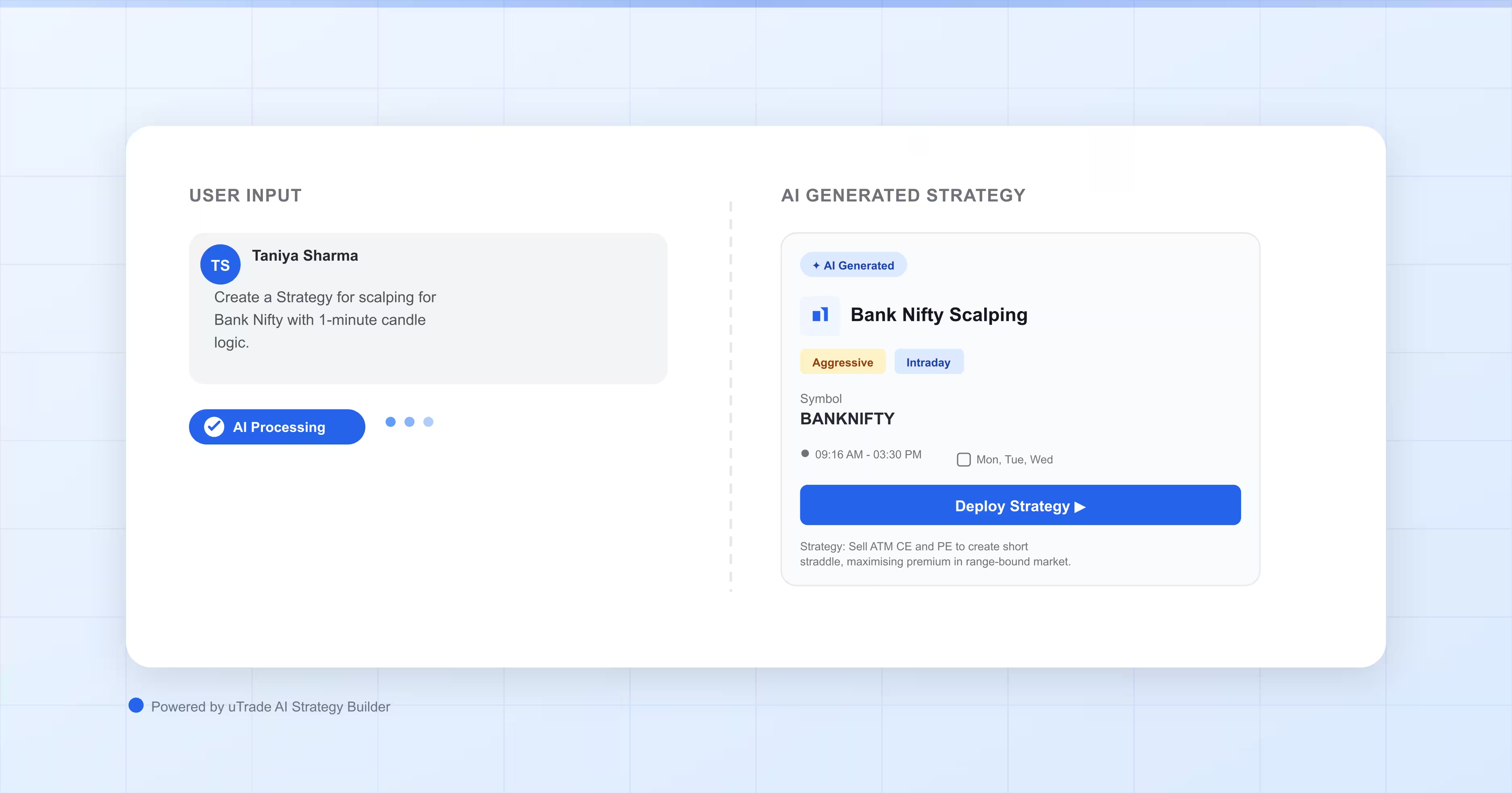
The uTrade AI Strategy Builder is an intelligent tool inside the uTrade Algos platform that turns your trading thoughts into executable algorithms. Instead of hand-coding buy/sell rules, risk limits, or market signals, you just describe what you want in simple language.
The AI interprets your requirements and generates a ready-to-deploy algo trading strategy complete with parameters, risk controls, and execution settings.
This isn't just automation—it's trading with AI. Whether you envision a trend-following day strategy or a MACD signal system, the AI creates it instantly, making AI-driven trading accessible to anyone.
Step-by-Step: Deploying Your First AI Algo
Step 1: Login or Sign Up to uTrade Algos
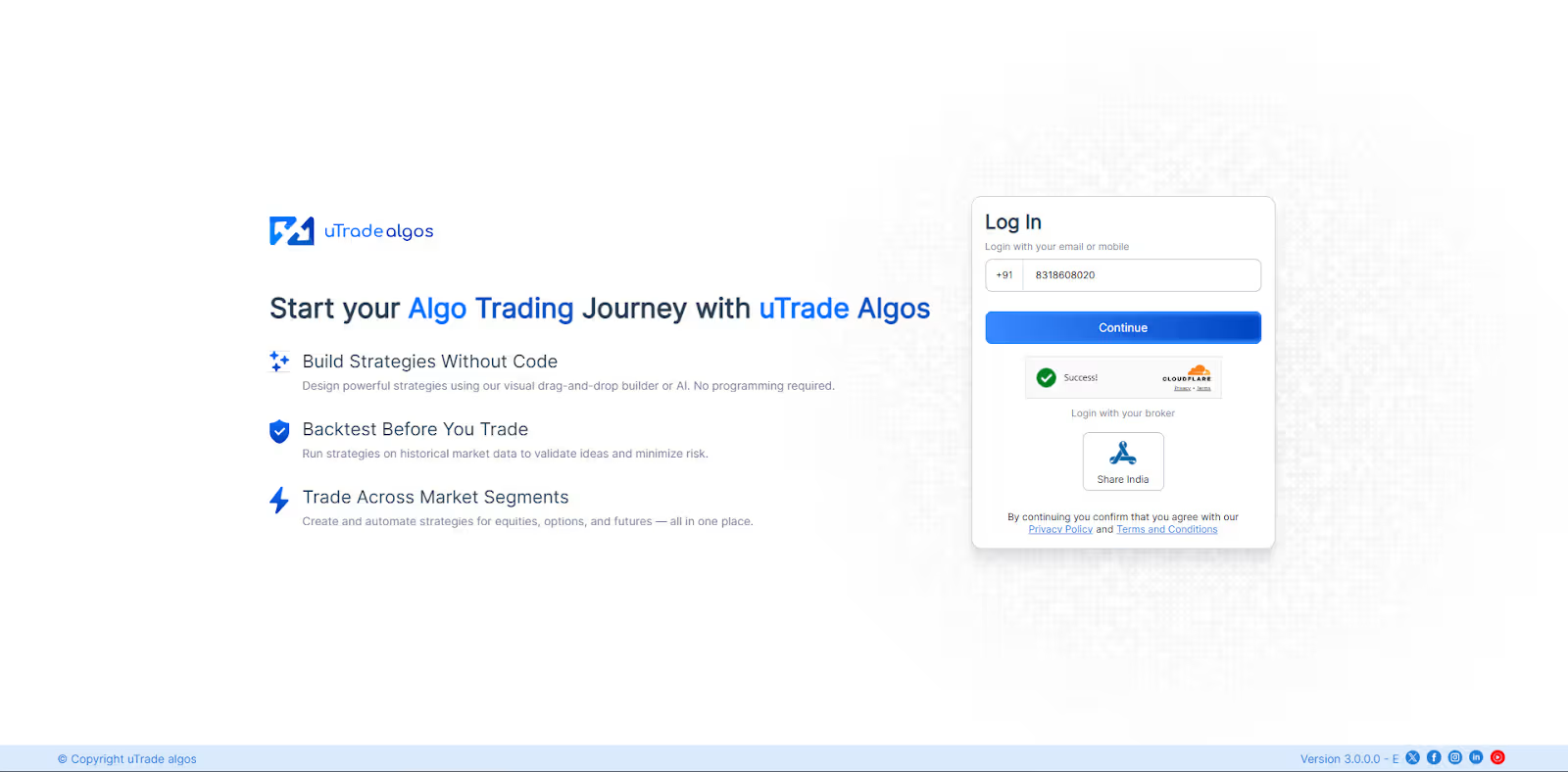
Visit the uTrade Algos platform and create your account if you're new. Existing users can simply log in. The onboarding process is straightforward—no complicated verification steps.
Step 2: Navigate to Your Dashboard
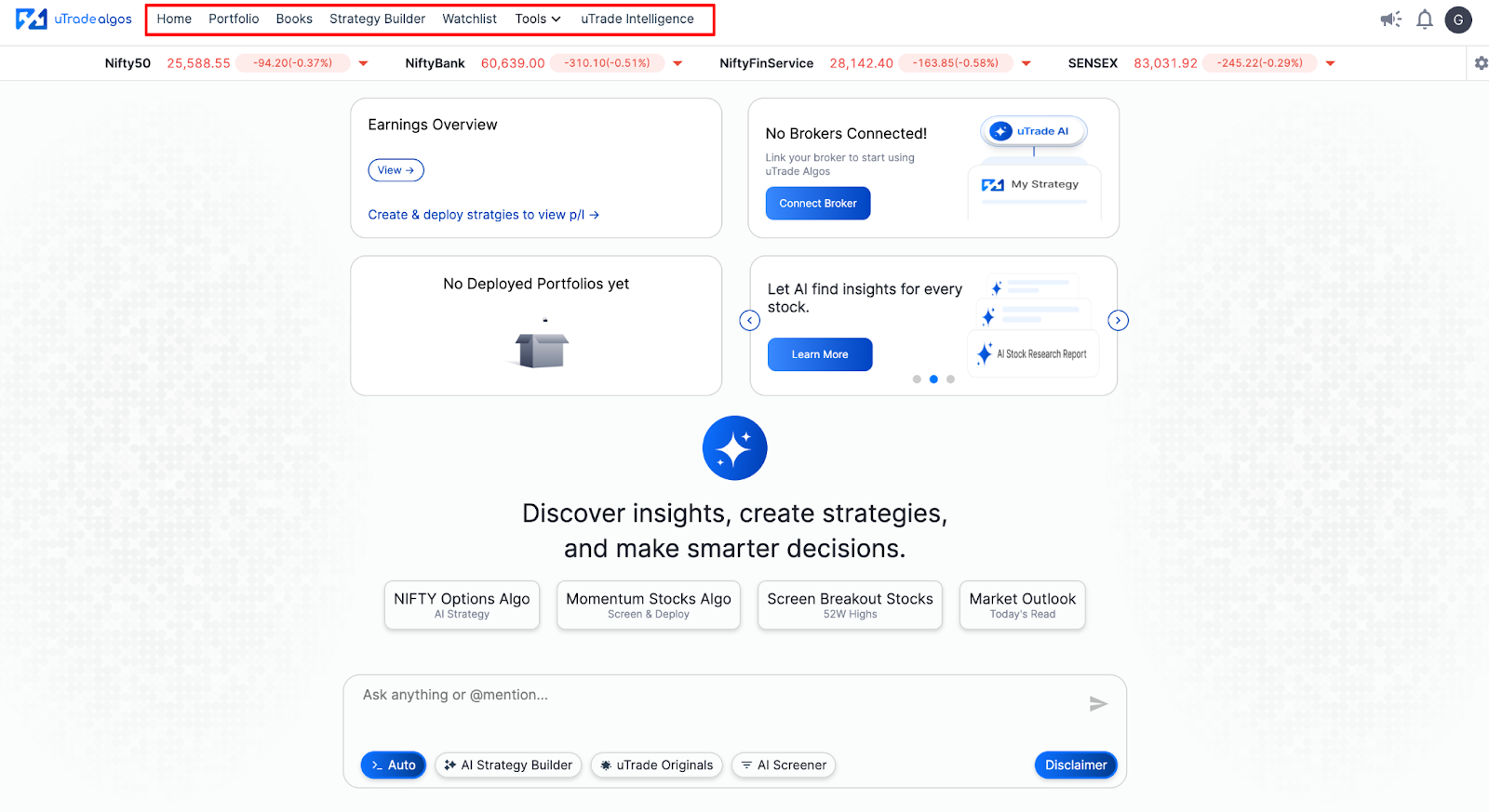
After logging in, you'll arrive on the main dashboard. This is your hub for all automated algo trading tasks—strategy creation, portfolio management, and performance tracking.
Step 3: Select uTrade Intelligence
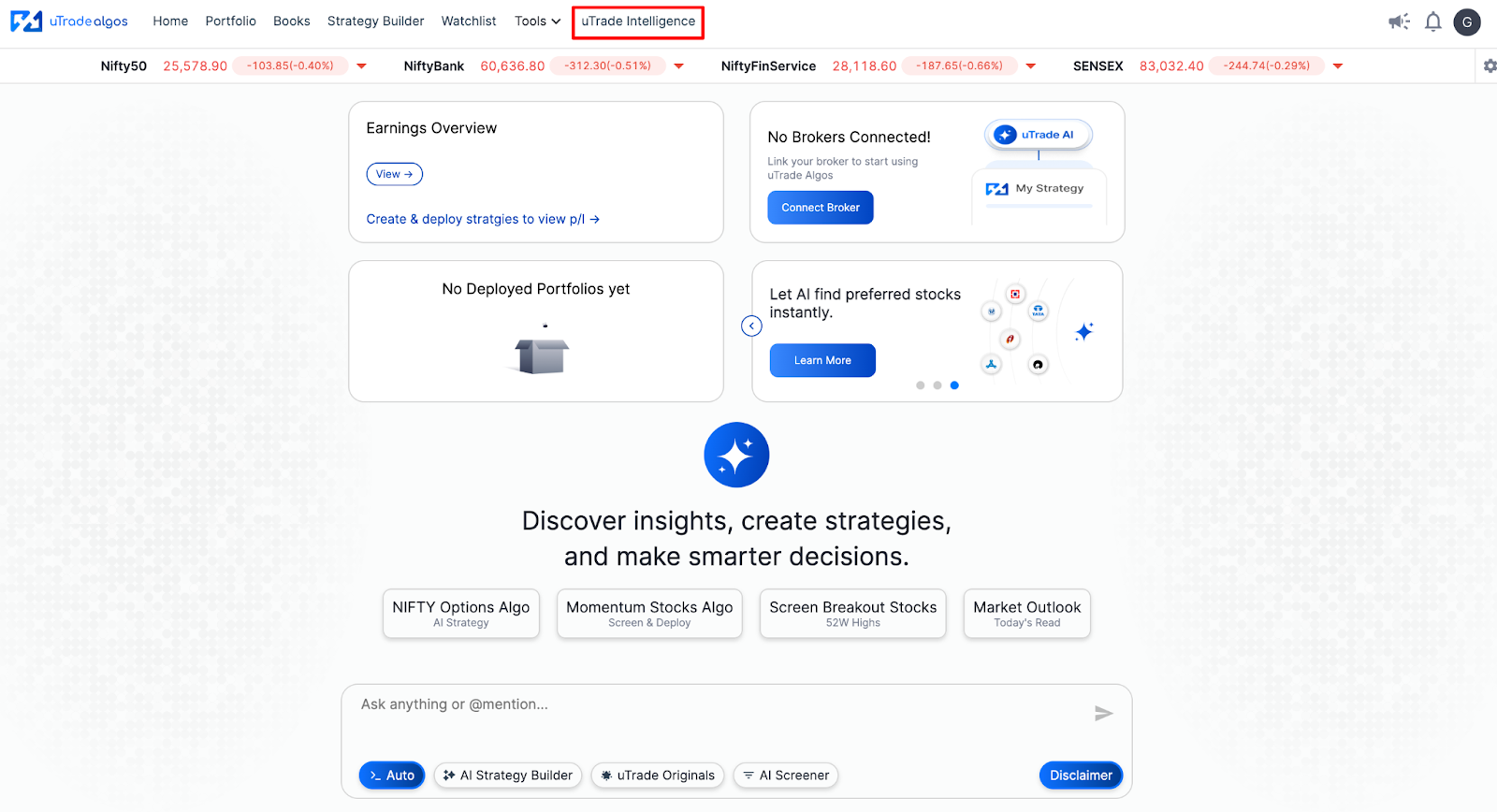
On the dashboard, spot and click on uTrade Intelligence. This is the AI-powered section of the platform where you can create your AI-generated algo trading strategies. The interface is simple and beginner-friendly.
Step 4: Describe Your Trading Idea
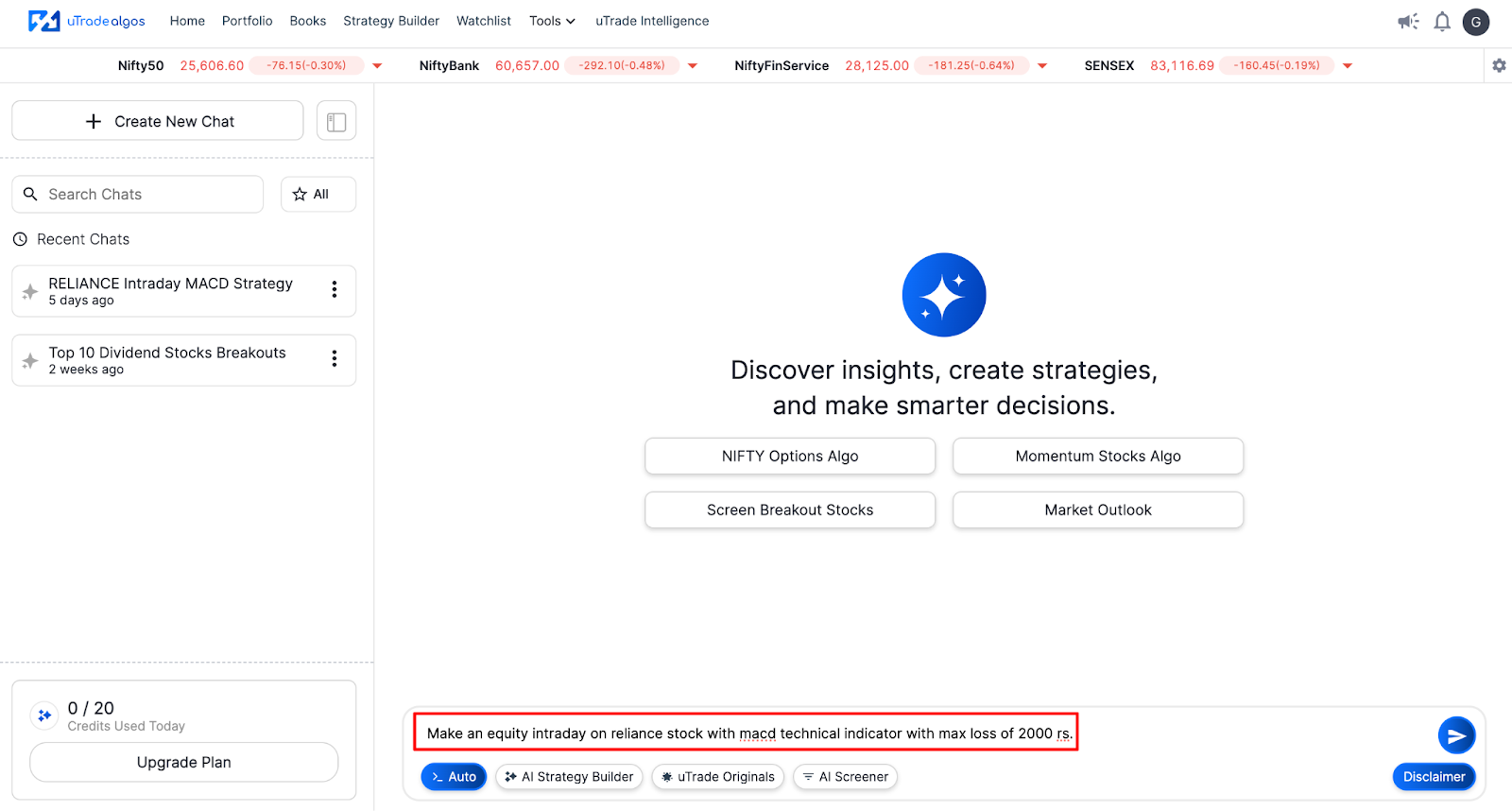
Here's where you communicate with the AI. Type your strategy concept in natural language. For example:
"Make an equity intraday on Reliance stock with MACD technical indicator with max loss of 2000 rs."
The AI grasps the topic, the assets, the time frames, the risk parameters, and the technical indicators. You can be very detailed or quite general—the system adjusts.
Step 5: Review the Generated Strategy

Within seconds, uTrade AI Strategy Builder creates a complete AI Algo trading strategy. You'll see a summary card displaying:
- Strategy name
- Trading type (Intraday/Momentum)
- Symbol (e.g., RELIANCE)
- Execution schedule
- Stop loss settings

Click Review Parameters to view the full configuration. A panel on the right side of the screen appears, showing details like entry conditions, exit logic, quantity, and order execution type.
Step 6: Edit Parameters (Optional)
Don't like something? Edit it. The interface lets you modify:
- Portfolio settings: Start time, end time, square-off time, execution days
- Stop loss: Absolute or percentage-based
- Exit conditions: MACD intervals, candle intervals, indicator expressions
- Instrument details: Symbol, exchange, product type, quantity

Every field is editable without touching code. This flexibility makes trading with AI both powerful and accessible.
Step 7: Explore the Advanced Tab
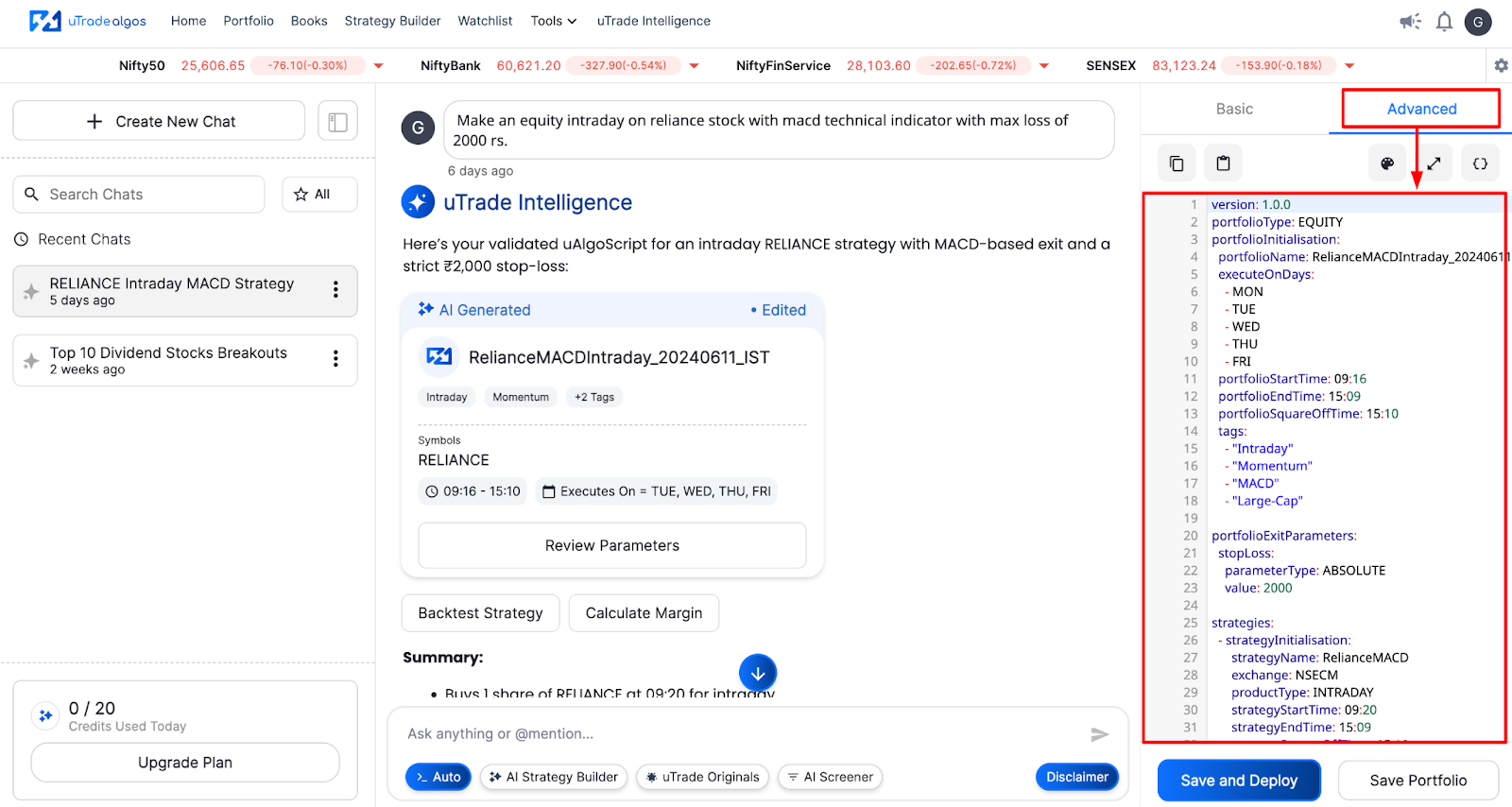
For users comfortable with coding, click the Advanced tab. You can see the entire strategy written in uAlgoScript—the custom language for uTrade Algos. This view is ideal for:
- Adding custom logic
- Integrating multiple indicators
- Building complex multi-leg strategies
Even if you don't code, seeing the script helps you understand how your idea translates into executable logic.
Step 8: Expand the Screen for Better Review
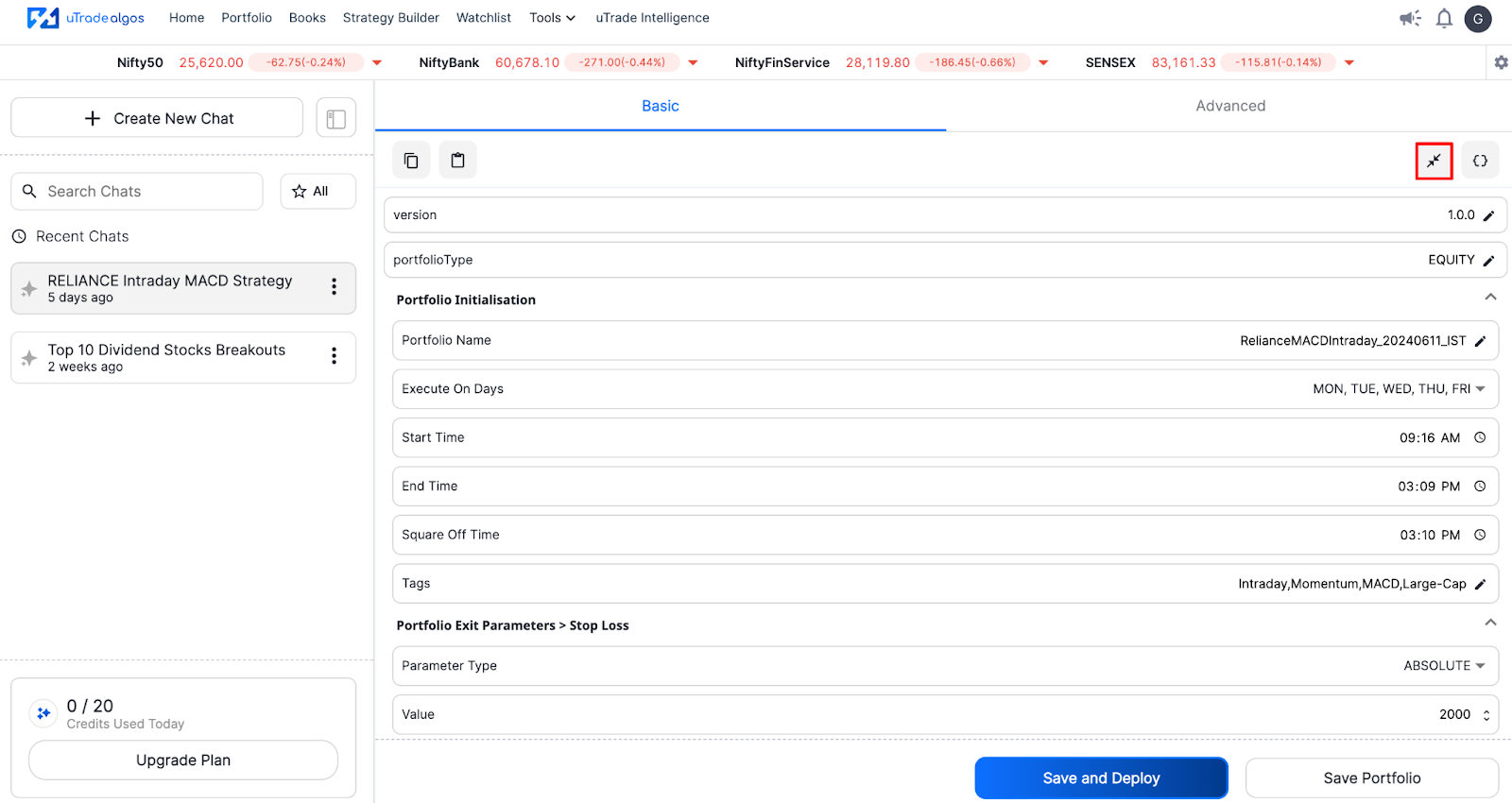
Need more space? Click the expand icon below the Basic and Advanced tabs. This full-screen mode gives you a clearer view of all parameters, making final checks easier before deployment.
Step 9: Calculate Margin Requirements

Before going live, know your capital required. Click the Calculate Margin button under the strategy card.
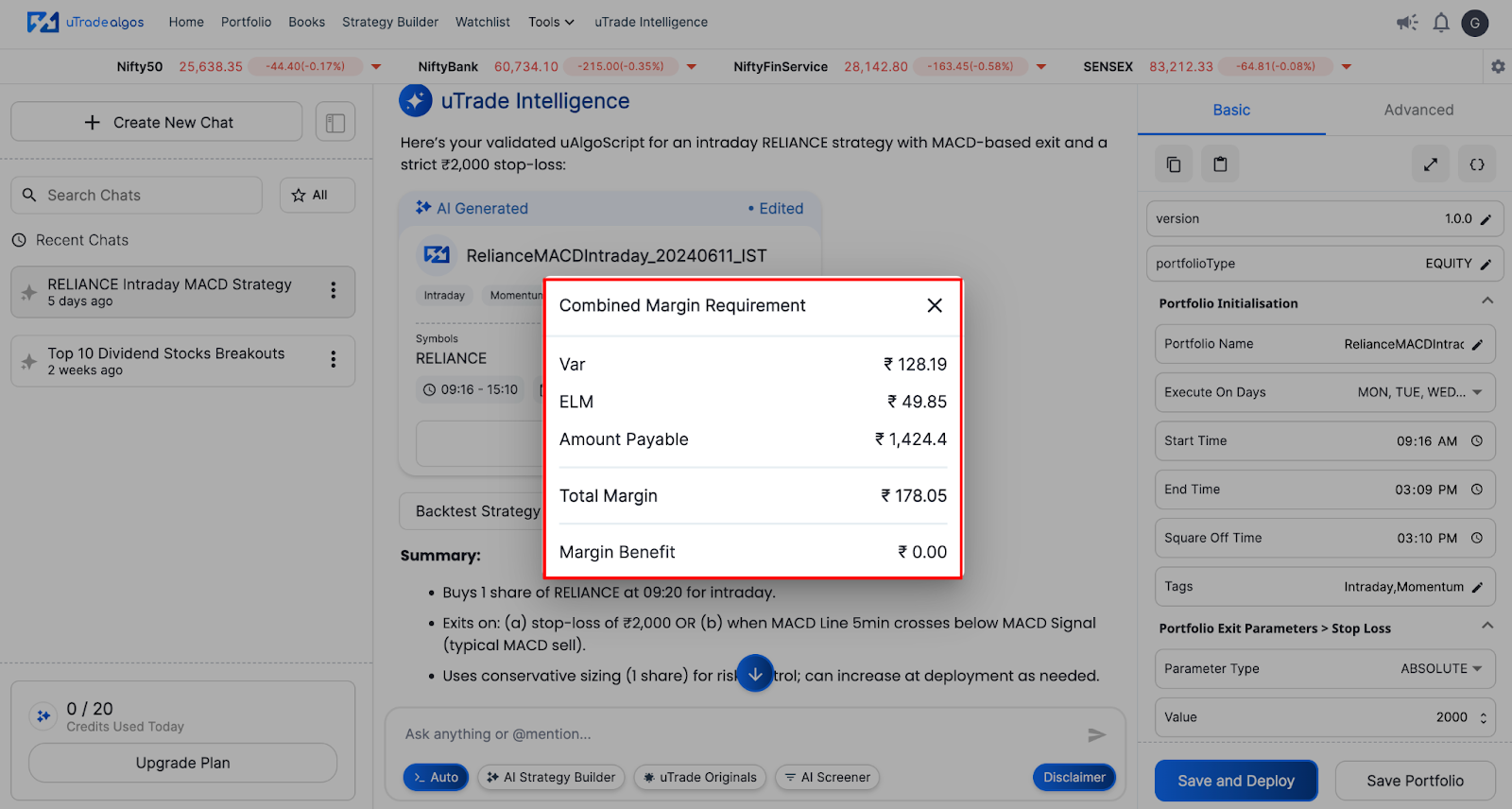
The system quickly calculates the necessary margin based on the chosen asset, size, and your broker. This guards against taking on too much risk.
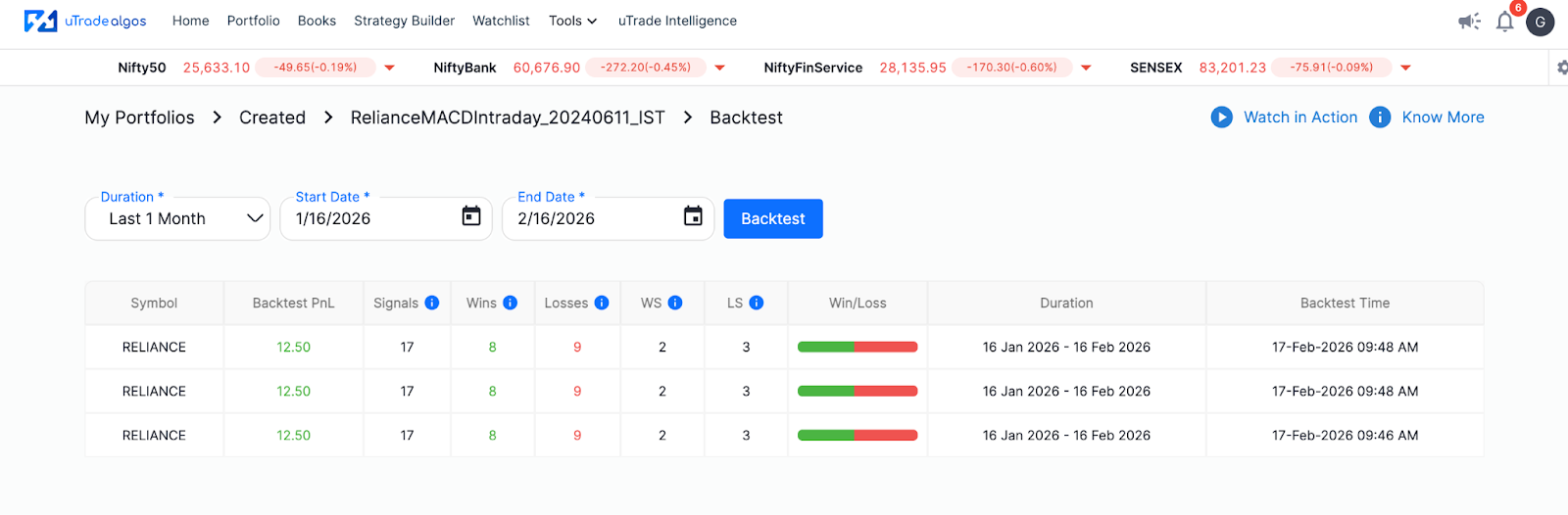
Step 10: Backtest Your Strategy
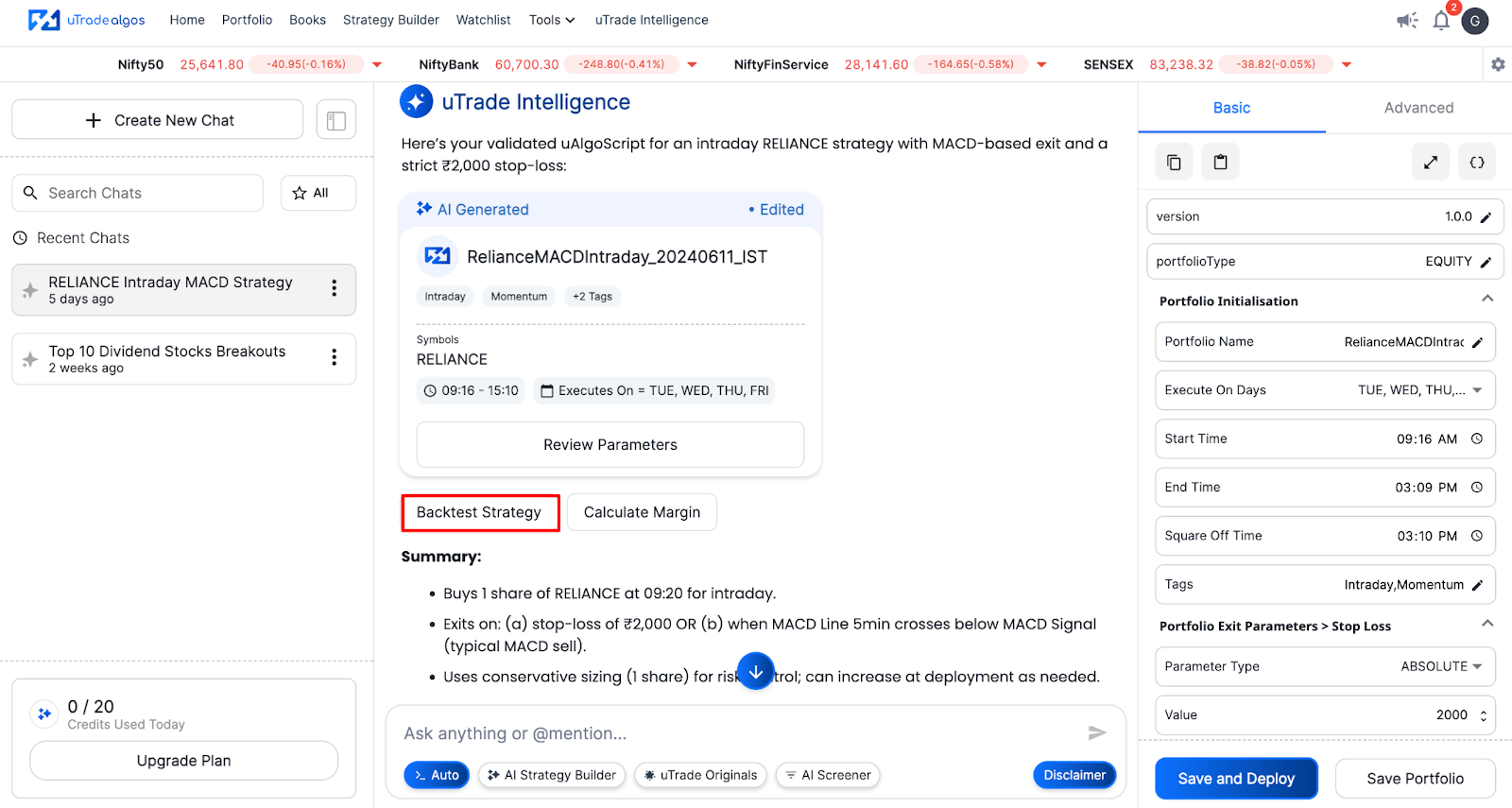
Click the Backtest Strategy button below the Strategy card. This allows you to test the AI-generated algo trading strategy using past market data.
Step 11: Save or Deploy
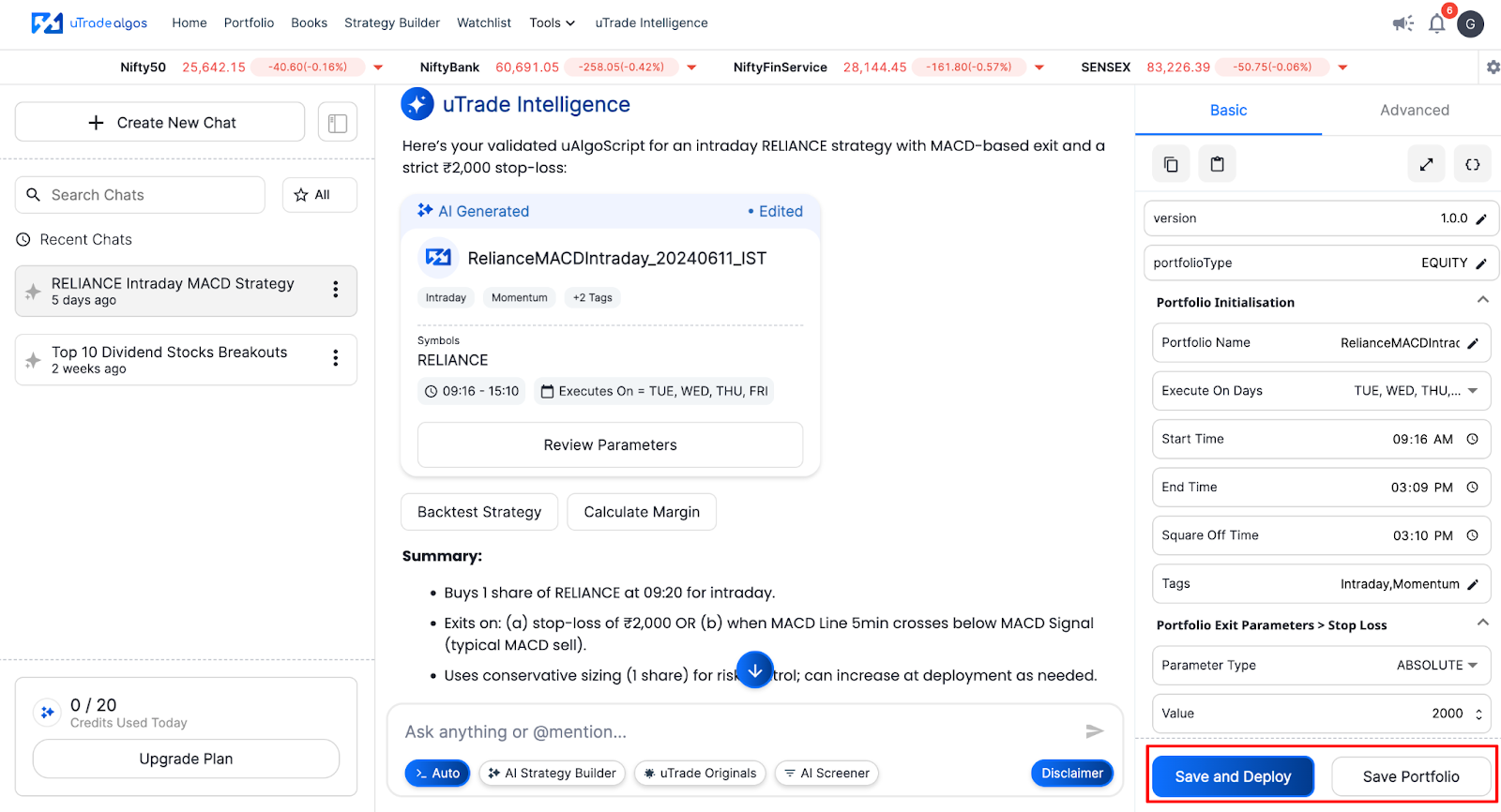
You have two options:
Save Portfolio: Keep the strategy saved for later. It stays in your portfolio group, ready to launch when market conditions are aligned.
Save and Deploy: Go live immediately. The strategy connects to your linked broker and starts executing trades based on the rules you set.
One-click deployment eliminates the usual friction between strategy creation and live trading. Your AI trading system is now active.
Why uTrade Algos Stands Out in AI Trading
User-Centric Design
The platform prioritizes simplicity without sacrificing functionality. Whether you're a beginner or an experienced trader, the interface adapts to your skill level.
Broker Integration
uTrade Algos connects directly with Share India broker. Once linked, deployment is instant. No API configuration, no manual order placement—just seamless execution.
Transparency
You see precisely what the AI constructs. There are no hidden processes. Every setting, every condition, every bit of script is visible and adjustable.
Flexibility
Start with AI-generated strategies, then customize as you learn. The platform grows with you, supporting both no-code and full-code approaches to algo trading strategy development.
Conclusion
What started as a simple question—how to deploy an AI algo—has led you through the entire journey of modern algo trading strategy development. You've seen how uTrade AI Strategy Builder transforms raw ideas into live trading systems in minutes, eliminating the traditional barriers of coding, infrastructure, and technical complexity.
The democratization of AI in trading means you no longer need a computer science degree or months of learning to participate in algorithmic trading. You need curiosity, basic market knowledge, and the willingness to experiment. Your first algo might be simple—a single indicator on one stock—but that's how every successful trader begins.
The markets are waiting. Your ideas have value. Now you have the tools to test them in real time, refine them based on results, and build a systematic approach to trading with AI. Start with one strategy today. Watch it work. Learn from it. Then build the next one. That's how you evolve from curious beginner to confident algo trader—one deployment at a time.
Frequently Asked Questions (FAQs)
Do I need trading experience?
Basic market knowledge helps, but uTrade AI Strategy Builder simplifies the technical side. If you understand concepts like stop loss, intraday trading, and technical indicators, you're ready.
Can I backtest before deploying?
Yes. The platform offers backtesting features where you can test your algo trading strategy against historical data to evaluate performance before risking real capital.
What if the market moves against me?
That's why stop loss parameters exist. Every strategy includes risk controls. You define maximum acceptable loss, and the system automatically exits if that threshold is hit.
Can I run multiple strategies simultaneously?
Absolutely. Deploy as many strategies as you want across different instruments, timeframes, and market conditions. uTrade Algos manages everything from a single dashboard.

.avif)
.avif)


.svg)





