
Dashboard
.avif)
The dashboard can be accessed by logging in. It is an overview of the account, which contains all the major features of the web app.
- It includes:
- Portfolio tab,
- Books,
- Strategy Builder,
- Watchlist
- Tools: Payoff Curve & Margin Calculator
- uTrade Intelligence
- Index Watch
- You can see an Earning section which gives you a summarized view of your cumulative earnings from your Portfolios and also the available margin in your broker account.
- The dashboard also shows a card view of: Portfolios that are running / you’ve created
- The Dashboard shows uTrade Intelligence Chatbot, allowing users to enter required prompts and get AI insights for Screener, Strategy Builder and Allocations for uTrade Originals.
My Portfolio Section
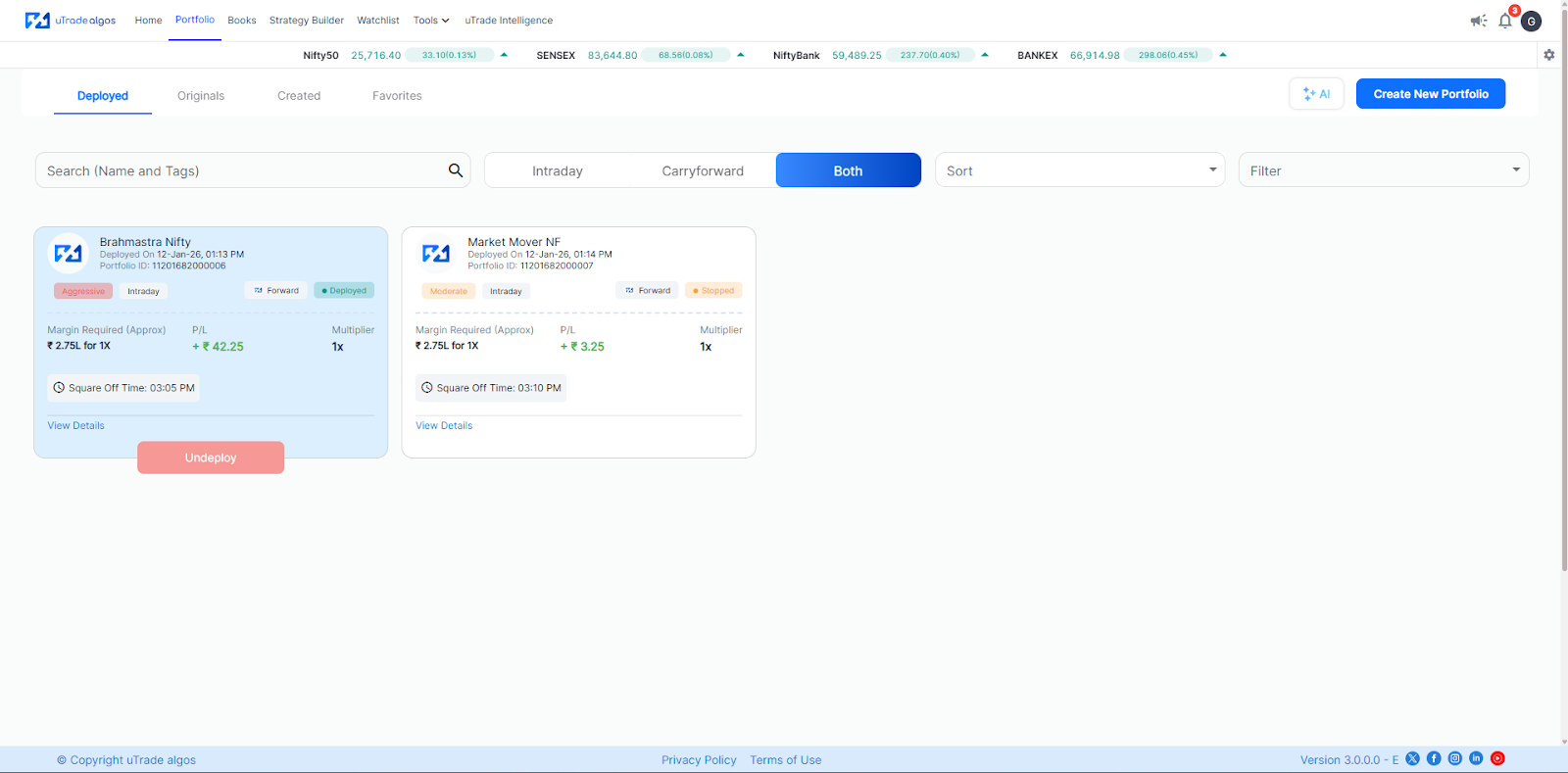
Created: This is an archive of all the portfolios you’ve created to date
Originals: This is a collection of all the uTrade Original strategies.
Deployed: All your currently deployed portfolios i.e. the ones which are running in the live/forward markets
Favorites: All the portfolios that you’ve bookmarked
- Using this tab you can monitor, manage and sort & filter all your portfolios.
- You can also edit portfolios created by you - by clicking on the three dots corresponding to each portfolio card
- You can backtest uTrade originals strategies or selected strategies from your portfolio
- Mark portfolios as favorite
- And delete portfolios as well

.svg)





