
Books
The Books section shows the Orders and Trades placed along with Net Positions of all the strategies/portfolios deployed. You can access this section by clicking on the ‘Books’ button of the header tab.
The books Tab on uTrade Algos is categorized into 3 categories:
- Orders Book
- Trades Book
- Positions Book
Use the search bar to quickly find the desired entry. Use sorting arrows to sort entries and quickly organize the view. You can also show/hide columns or rearrange them using the three-dots icon beside the Search box.
You can also export entries in CSV format using the download button.
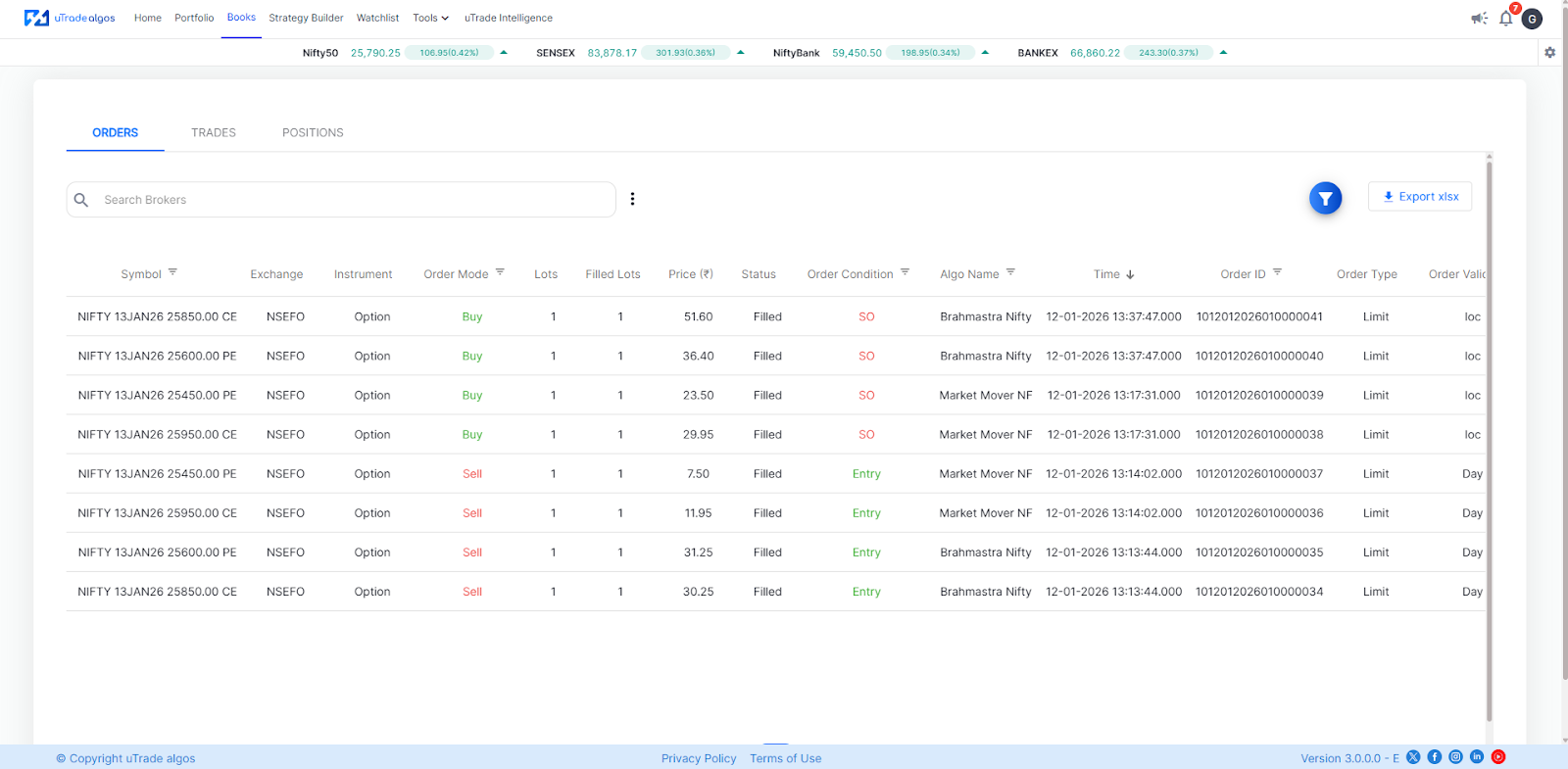
Orders Book
It is a record of all the orders that you’ve created from your end, the order status, order summary, deployment type, and order time.
Trades Book
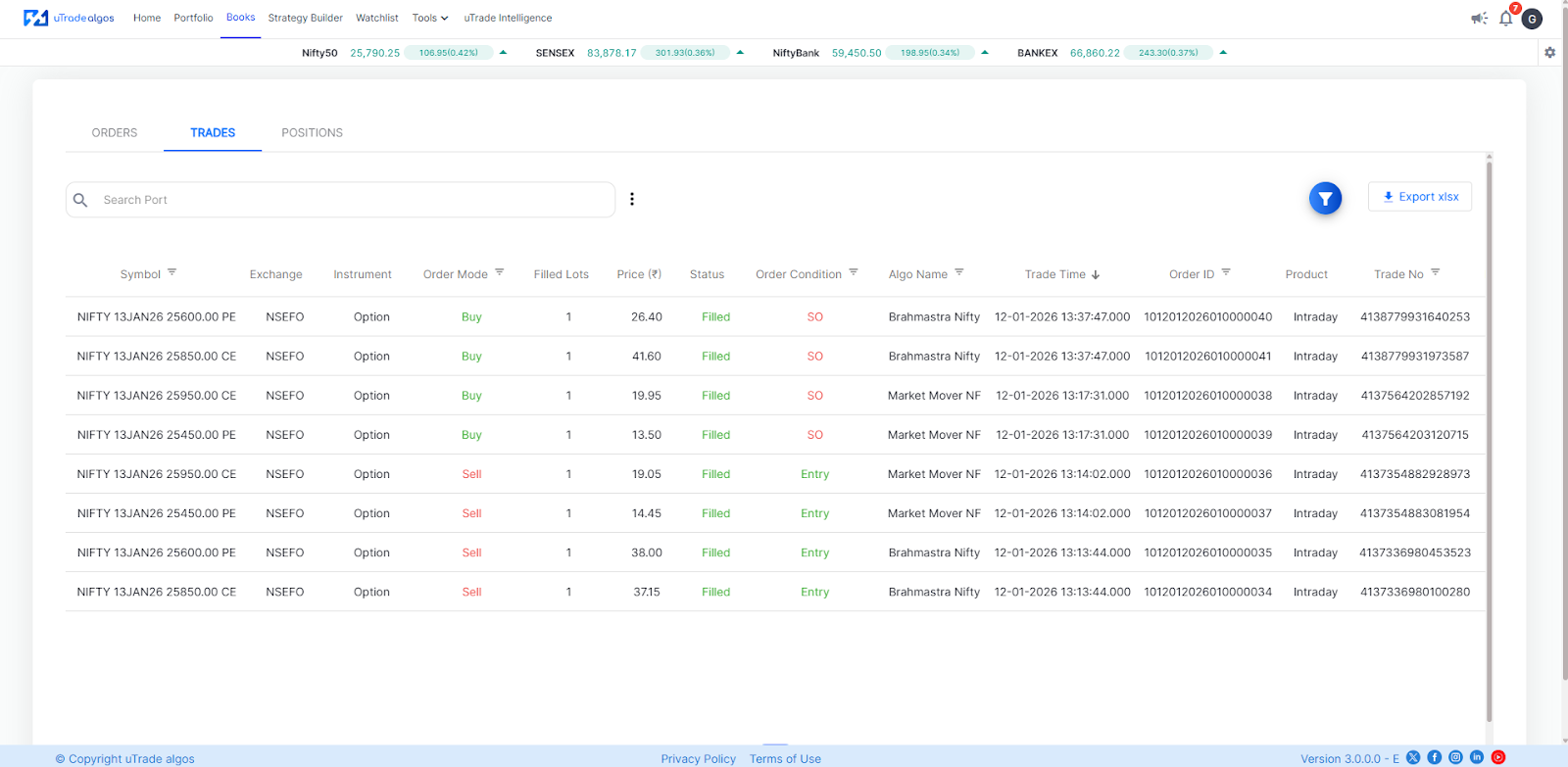
When an order gets executed, it enters the trade book. There is a trade number assigned and the status of the execution is also listed in the trade book.
The primary difference between an order book and a trade book is that the order book is a reflection of all the orders that have been placed while the trade book is a reflection of the trades that have been executed.
Positions Book
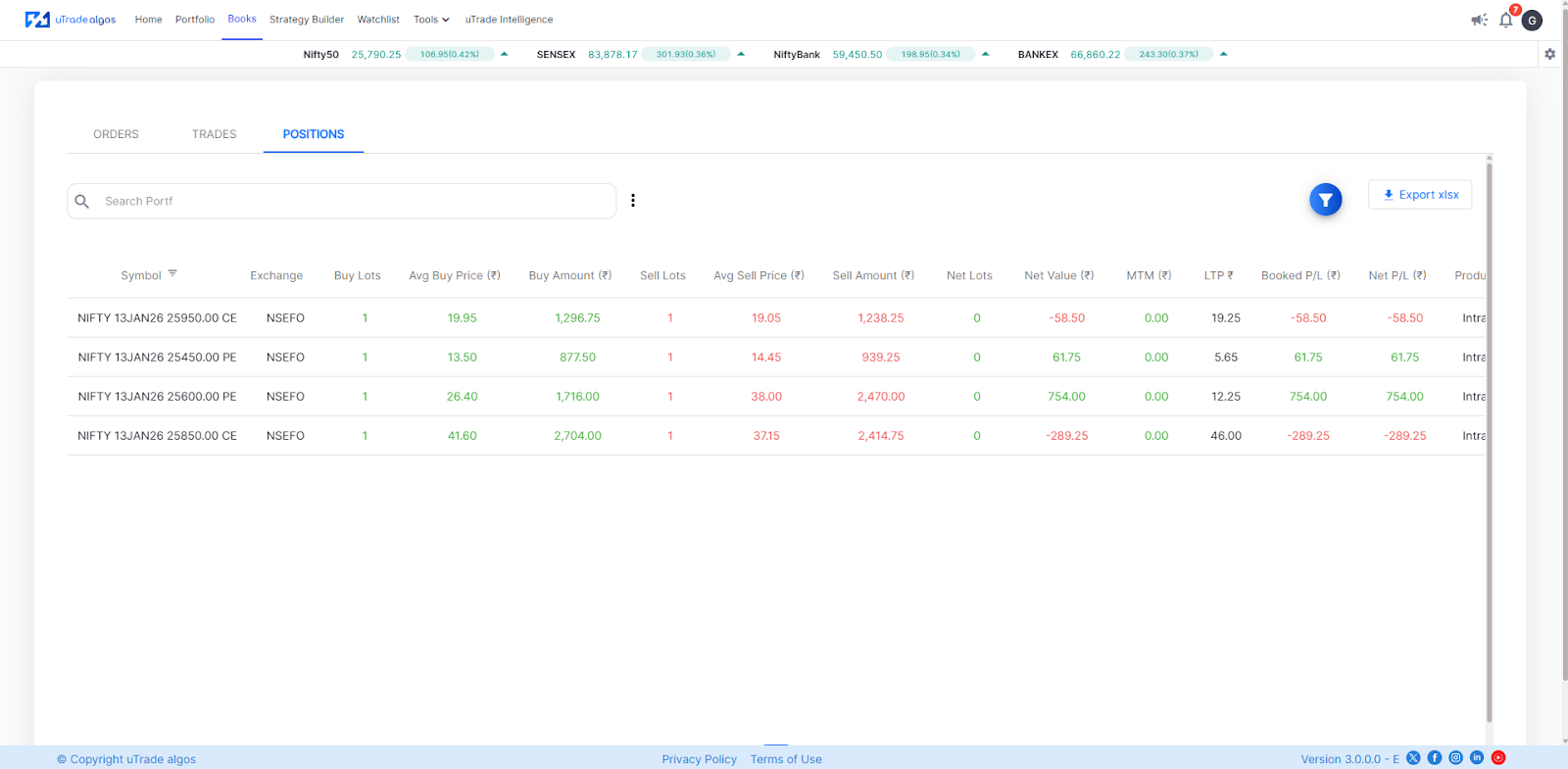
The position book displays all the net positions created by you on different symbols.

.svg)





